Retro, with texture.
Grain, warm gold, animated icons, and colors you can call your own. Start with the default or build your own look.
 DUCK CLIENTMade for your game.Join the flock
 A little retro. A lot of you. A textured client with thoughtful controls, useful tools, and a community to make yourself at home in.
Minecraft Java 1.21 series · Java 21+
 GOOD GAME.
The small details make a difference. Set it up once, then play your way.
Grain, warm gold, animated icons, and colors you can call your own. Start with the default or build your own look.
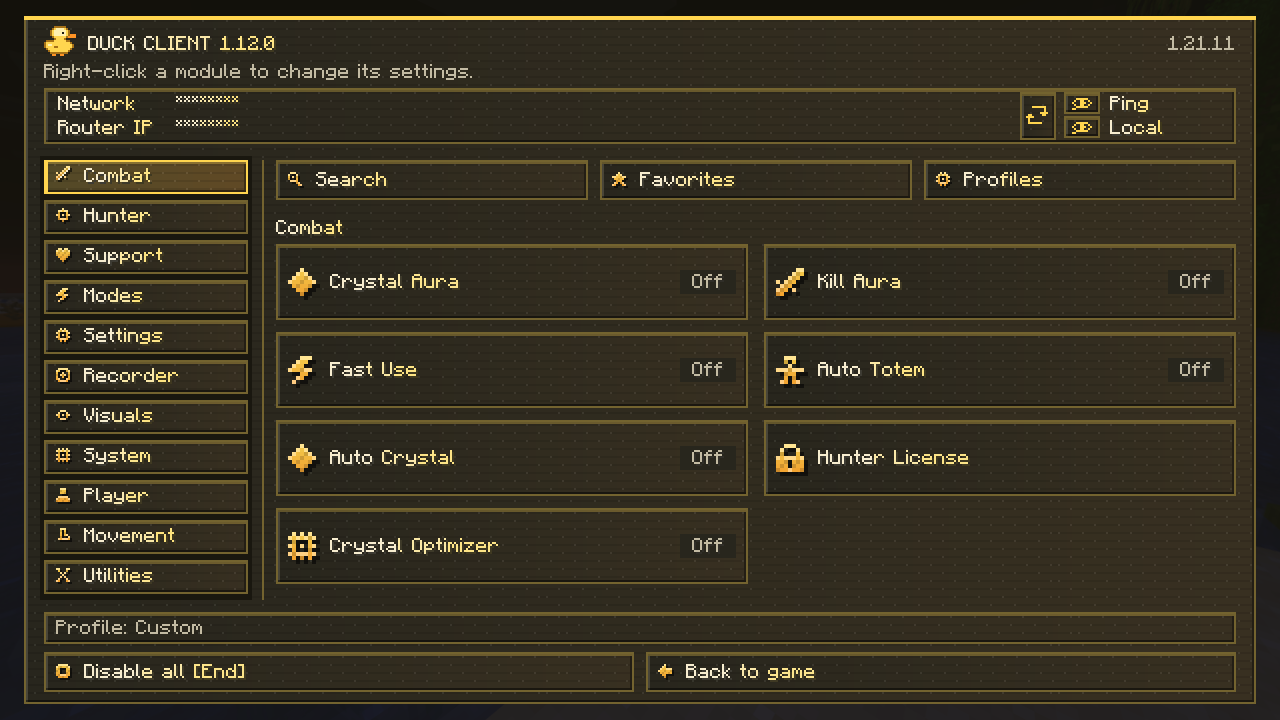
Search modules, pin favorites, save profiles, and right-click for individual settings. Press End to switch everything off.
Auto Fish, Drop Guard, Better Tooltips, Viewmodel, and local time controls. Modules start off; you choose what runs.
All official downloads start in Discord. Pick your Minecraft version and click its build button. The bot gives you a fresh private link from our VPS, valid for 10 minutes and one download.
CURRENT RELEASE1.12.2FABRICUse the exact matching JAR and Fabric API.
Remove your old Duck Client JAR first.
Need a hand with installation, an account-bound Hunter license, or something that feels off? Open a private ticket in Discord.
Open the support channel ↗Install Fabric Loader, use Java 21 or newer, and add Fabric API for your exact Minecraft version. Put the matching Duck Client JAR into your mods folder. Keep only one Duck Client JAR installed.
Duck Client uses separate Fabric builds for the 1.21 series. The current verified versions are listed in Discord Downloads. Match the JAR to your exact Minecraft version.
Hunter uses an account-bound license. Choose Microsoft or Local/offline to match the key staff issued. Ask about plans in a private support ticket; never post keys in public chat.
Click the build button in Discord again. It generates a different link each time. A link works for one file request and expires after 10 minutes.
Press Right Shift to open the menu. Click a module to toggle it, or right-click to edit settings. End turns modules off. F9 resumes Hunter after manual takeover.